
How TP1, TP2, TP3 and TP4 Work in Crypto Trading Signals
A crypto trading signal becomes much easier to evaluate when its profit targets are clearly defined. Instead of giving one vague instruction such as “take profit when the trade looks good,” a structured signal can use several planned targets: TP1, TP2, TP3 and TP4.
These targets create a roadmap for how price may progress after entry. They also make performance reporting more transparent because traders can see how far a signal actually moved before it closed, expired or reached its stop-loss.
TradeSentrix uses a structured signal format that can include an Entry, Stop Loss and multiple take-profit targets. Understanding the role of each target helps traders avoid one of the most common mistakes in signal trading: treating every target as if it had the same purpose.
What does TP mean in a trading signal?
TP means Take Profit. It is a predefined price where a trader may close part or all of a position to secure profit.
For a BUY signal, take-profit levels are normally placed above the entry. For a SELL signal, they are normally placed below the entry.
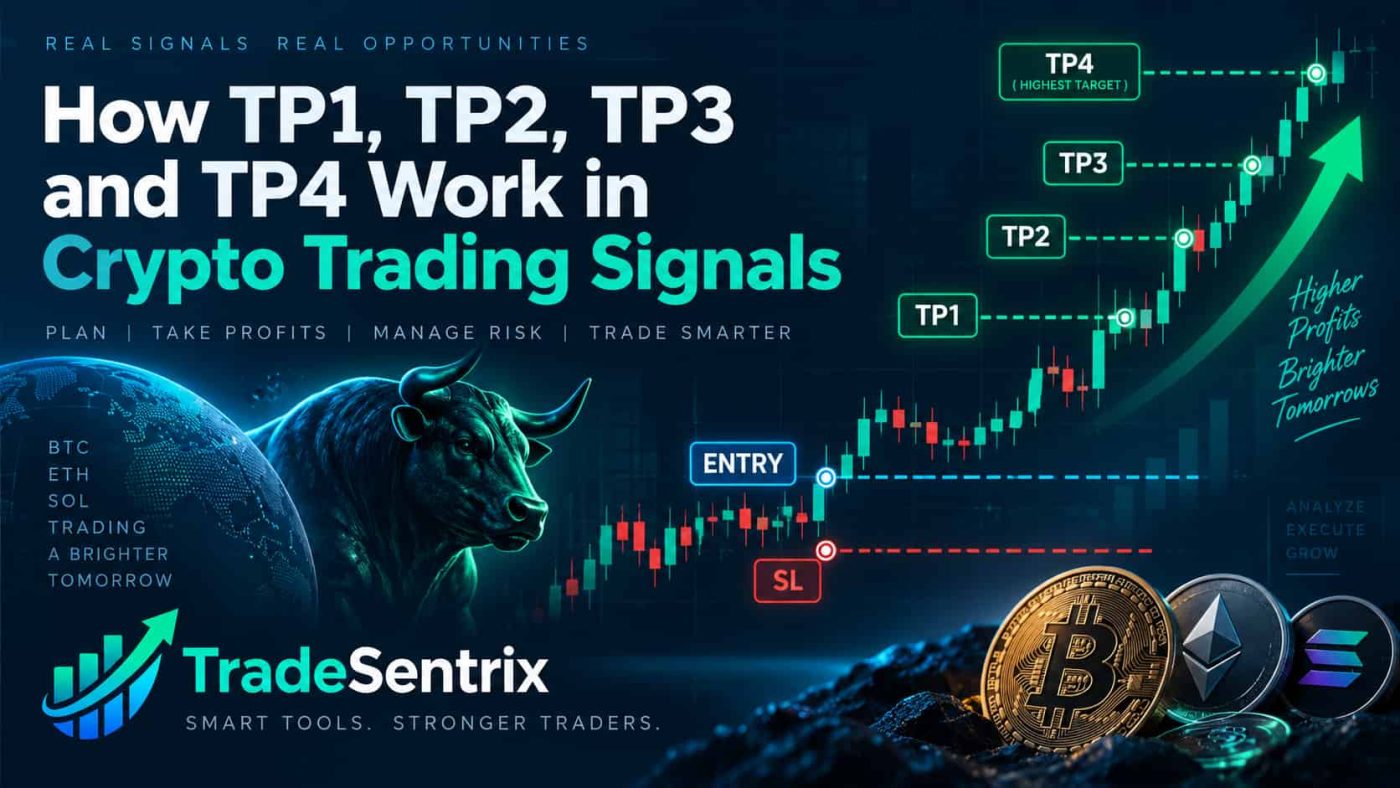
A signal with four targets may look like this:
- Entry: 100.00
- TP1: 101.00
- TP2: 102.00
- TP3: 103.50
- TP4: 105.00
- Stop Loss: 96.00
The exact distance between targets depends on the market, volatility and setup. TP1 is usually the nearest objective, while TP4 is generally the most ambitious.
TP1: the first confirmation target
TP1 is normally the closest target to the entry price. Reaching TP1 indicates that the trade moved in the expected direction far enough to touch the first planned objective.
Because TP1 is closer than the other targets, it is usually easier to reach. That does not mean TP1 is guaranteed. Price may still reverse and hit the stop before reaching it.
Traders often use TP1 to reduce exposure. For example, a trader may close a portion of the position at TP1 and keep the remainder open for TP2 or higher targets.
From a performance-reporting perspective, it is important to distinguish between “TP1 reached” and “full signal completed.” A signal that touched TP1 but later hit the stop has a different path from a signal that reached TP4 without touching the stop.
TP2: a stronger continuation target
TP2 is the second planned profit level. It normally requires a larger move than TP1 and therefore provides stronger evidence that the original directional setup continued.
Some traders use TP2 as their main exit target because it balances two goals: allowing the position to move beyond the first target while avoiding the need to hold for the most aggressive objectives.
The correct choice depends on the trading plan. A trader who always exits at TP2 should evaluate performance using TP2-based rules rather than comparing results with a TP1-based win rate.
Consistency matters. Changing the definition of success after the trade closes makes performance statistics misleading.
TP3 and TP4: extended targets
TP3 and TP4 represent progressively deeper continuation.
These levels may be reached during stronger trends, breakouts or momentum phases. They are usually farther from the entry and therefore less frequently reached than TP1.
Extended targets can provide attractive reward relative to the initial risk, but holding for them also exposes the remaining position to more pullbacks and reversals.
A common mistake is to assume that a signal has “failed” because it reached TP2 but did not reach TP4. That depends entirely on the exit methodology. If the published strategy treats TP2 as the planned exit, TP4 may simply be an extended objective rather than the requirement for success.
How multiple targets can be used in one trade
Multiple targets allow a trader to scale out gradually. An illustrative approach could be:
- close 25% at TP1;
- close another 25% at TP2;
- close another 25% at TP3;
- leave the final 25% for TP4.
This is only an example, not a universal rule. Another trader may close half at TP1 and half at TP2. An automated system may use one fixed target for execution while the platform continues tracking all available targets for performance analysis.
The important point is to decide the exit method before entering. Changing allocations emotionally during the trade can make results inconsistent and difficult to evaluate.
What happens if TP1 and TP2 hit, then the Stop Loss hits?
This is one of the most important multi-target scenarios to understand.
Imagine a BUY signal reaches TP1 and TP2, then reverses sharply and later touches the Stop Loss. The historical record may correctly show:
- TP1: Hit
- TP2: Hit
- TP3: Not reached
- TP4: Not reached
- SL: Hit
- Closed: Yes
There is no contradiction here. The price first moved through the first two profit levels and then reversed enough to reach the stop.
Whether the trader personally made or lost money depends on how much of the position was closed at TP1 and TP2, whether the stop was moved, and what remained open. That is why target progression and final stop status should be recorded separately.
Why TP history should not be erased after an SL
A poor reporting system may show only the final outcome and hide the path the trade took. For example, changing a signal from “TP2 reached” to simply “SL” removes useful information.
A transparent record should preserve each event independently. If TP1 was reached, that fact should remain visible even if the signal later hit the stop.
The same principle applies to TP3 or TP4. Historical progression is valuable for evaluating how a strategy behaves, how often deeper targets are reached and how frequently price reverses after an early target.
TradeSentrix public performance reporting is designed around visible target progression rather than relying only on promotional screenshots.
TP1 accuracy is not the same as TP4 accuracy
Suppose 100 closed signals produce these results:
- 78 reach TP1;
- 63 reach TP2;
- 45 reach TP3;
- 28 reach TP4.
A service cannot honestly call all four percentages the same “accuracy.” Each target has a different success rate.
When comparing signal providers, ask which target defines the headline result. A provider that counts every TP1 touch as a win will usually report a higher percentage than one that requires TP3 or TP4.
Neither method is automatically wrong, but the rule must be clearly stated and applied consistently.
How Stop Loss interacts with multiple targets
The Stop Loss is the invalidation level. It defines where the remaining position should be protected if the market moves against the setup.
Before any target is reached, the stop normally protects the full open position. After a target is reached, some traders reduce the position and may adjust protection for the remaining quantity.
Possible approaches include:
- leave the original stop unchanged;
- move the stop closer to entry;
- move the stop to break-even;
- trail the stop behind market structure.
Each method changes the trade’s risk profile. There is no rule that the stop must automatically move after TP1 unless the strategy specifically defines that behavior.
Why “Closed” should be separate from TP and SL status
“Closed” answers a different question from “TP hit” or “SL hit.”
A signal can be closed because:
- TP4 was completed;
- the Stop Loss was reached;
- the trade expired after partial target progress;
- an execution workflow closed at a predefined target;
- an administrator or strategy rule ended tracking.
Therefore a performance table is more informative when it shows TP1, TP2, TP3, TP4, SL and Closed as separate fields.
This allows a trader to see both the journey and the final lifecycle state.
How to evaluate a multi-target signal before entering
Before using any signal, check the complete structure:
- Confirm the exact symbol and market type.
- Compare the current price with the published entry.
- Measure the distance from entry to Stop Loss.
- Measure the distance to TP1 and TP2.
- Decide which target matches your exit method.
- Calculate position size from the Stop Loss distance.
- Check whether any target has already been reached.
- Review the publication time so you do not chase an old setup.
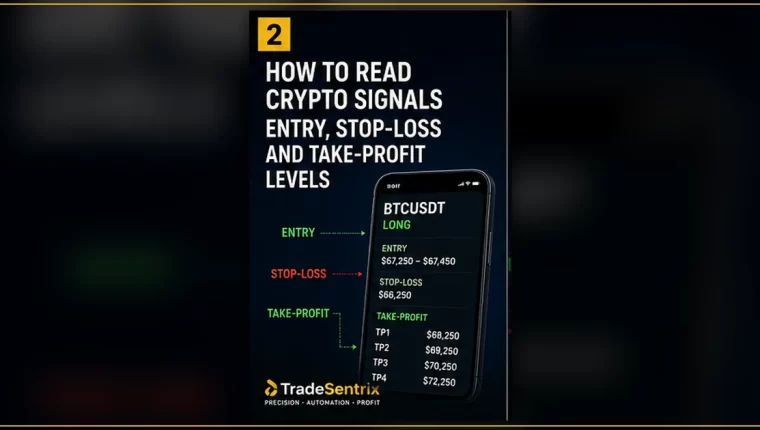
Read the TradeSentrix guide on how to read crypto signal Entry, Stop Loss and Take-Profit levels for the full signal structure.
Use target progression to evaluate performance
A useful performance review goes beyond one win-rate number. For a multi-target system, consider:
- percentage of signals reaching TP1;
- percentage reaching TP2;
- percentage reaching TP3;
- percentage reaching TP4;
- percentage hitting SL before TP1;
- percentage hitting SL after one or more targets;
- average time to each target;
- pair-specific target progression.
This produces a more complete picture of how the signal process behaves across different market conditions.
You can also read How to Evaluate Crypto Signal Accuracy and Performance for a broader framework covering closed trades, stop-losses, sample size and reporting methodology.
Frequently asked questions
Is TP1 always the safest target?
It is usually the nearest target, so it requires a smaller favorable move than TP2–TP4. However, no target is guaranteed, and the reward may also be smaller.
Does reaching TP1 mean the signal won?
Only if the performance methodology defines TP1 as the success criterion. A transparent provider should state the rule clearly.
Can a signal hit TP2 and later hit SL?
Yes. Price can reach one or more targets and then reverse. A proper historical record should preserve both the earlier target hits and the later stop event.
Should I move my Stop Loss after TP1?
Only according to a predefined strategy. Moving it automatically may reduce risk, but it can also close the remaining position during an ordinary pullback.
Why use four targets instead of one?
Multiple targets provide staged objectives and make it possible to measure how far a setup progressed. They also support different exit styles without changing the original signal structure.
Final takeaway
TP1, TP2, TP3 and TP4 are not four different versions of the same result. They represent different stages of price progression. A strong trading workflow keeps every stage visible, preserves Stop Loss events and separates target history from final closure status.
When reviewing a signal, decide in advance which target matters to your own execution plan. When reviewing performance, make sure the success definition is consistent and that losses are not hidden.
Explore the structured format on the TradeSentrix Binance Futures Signals page and review the wider TradeSentrix Crypto Signals overview.
Risk notice: Crypto assets and leveraged futures are volatile. This article is educational and does not provide personalized financial advice, a guarantee of profit or a recommendation to open a position. Always verify signal details, calculate position size and trade only with funds you can afford to lose.
Featured image prompt
Create a clean professional crypto trading education graphic with a candlestick chart moving upward through four clearly labeled horizontal levels TP1, TP2, TP3 and TP4, with Entry and Stop Loss also marked. Dark trading-dashboard aesthetic, sharp typography, no profit guarantee language, 16:9 landscape, suitable for a financial education blog featured image.